• HomeHome
    • 2FAS Pass Mobile App
    • 2FAS Pass Browser Extension
    • Pricing
    • 2FAS Auth Mobile App
    • 2FAS Auth Browser Extension
    • Donate
  • About usAbout
  • Help CenterHelp Center
  • Get the appsGet the apps
  • HomeHome
    • 2FAS Pass Mobile App
    • 2FAS Pass Browser Extension
    • Pricing
    • 2FAS Auth Mobile App
    • 2FAS Auth Browser Extension
    • Donate
  • About usAbout
  • Help CenterHelp Center
  • Get the appsGet the apps

2FAS Pass Browser Extension

Use 2FAS Pass while browsing the Internet, with full control over the security at every stage.

The browser extension provides a next-gen password manager experience, where none of your Items are stored permanently in the browser's memory or on third-party servers. Instead, they are retrieved from your mobile phone when needed, and you control how each is accessed using integrated Security Tiers.

Install the extension
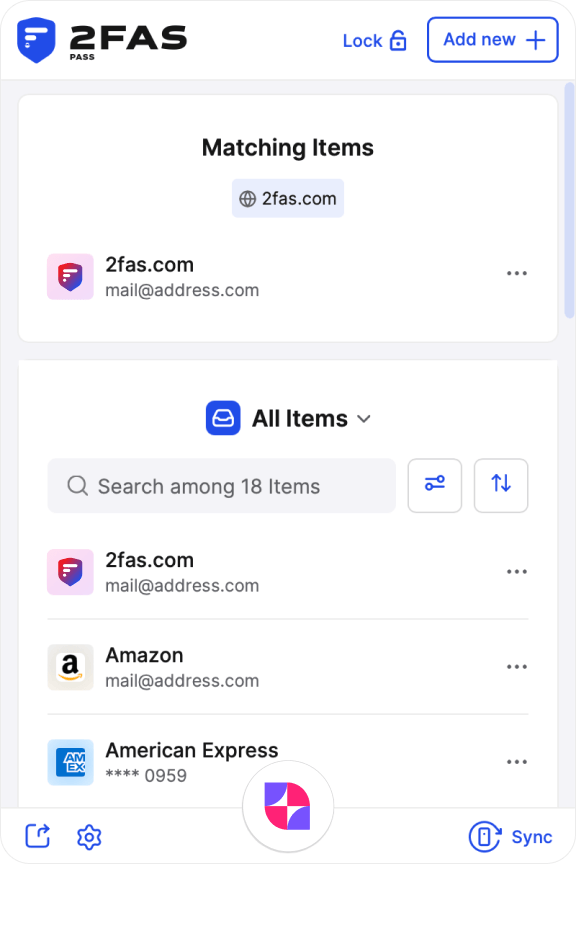
2FAS Pass Browser Extension

Here is how it works

Install the 2FAS Pass Browser Extension

The whole process is very simple, secure and takes only a few seconds. You don't create any accounts or share any private information.

Install the 2FAS Pass Browser Extension
Connect it with your mobile device by scanning the QR code

Connect it with your mobile device by scanning the QR code

None of your Items are stored permanently online. You only share the Items you want and need, for the connection period between your 2FAS Pass mobile app and the browser extension.

Use the extension to sign in securely

Once the connection is established, you can immediately use the Items assigned to the Secret Tier. Alternatively, additional confirmation is required to access Highly Secret Items.

Use the extension to sign in securely
Use the extension to add Items to the mobile app

Use the extension to add Items to the mobile app

When you set up any account on the web, you can easily add an Item to 2FAS Pass. Connect the extension with the mobile app, then finish the process on your mobile phone.

2FAS Pass Browser Extension is a Source-available project

See Our GitHub Source CodeJoin our GitHub project and contribute to 2FAS by running code review and committing your ideas.Join Our Discord CommunityJoin our server to connect with the active 2FAS team and friendly community.Join Our Reddit CommunityJoin our subreddit to connect with the active 2FAS team and our friendly community.

Do you have questions, ideas, or maybe you want to support our work?

Check out the browser extension's source code and join the community on Discord.

Take the security and privacy of your web browsing to a whole new level

Install the extension
  • About us
  • Press kit
  • Terms of Service
  • Privacy Policy

Site theme

Authenticator

Products

  • 2FAS Auth Mobile App
  • 2FAS Auth Browser Extension

Resources

  • Donations
  • How to enable 2FA
  • Quick Browser Extension Check
  • Check generated token
  • Your branding
  • Your 2FA guide
  • Open-source Licenses

Comparisons

  • Google Authenticator vs. 2FAS Auth
  • Authy vs. 2FAS Auth
  • Microsoft Authenticator vs. 2FAS Auth
  • Duo vs. 2FAS Auth

Policies

  • 2FAS Auth Privacy Policy
  • 2FAS Auth EULA

Password manager

Products

  • 2FAS Pass Mobile App
  • 2FAS Pass Browser Extension

Resources

  • 2FAS Pass Pricing
  • 2FAS Pass Recovery
  • Open-source Licenses

Policies

  • 2FAS Pass Privacy Policy
  • 2FAS Pass EULA

Support

  • Help Center
  • Support

Connect

© 2026 Two Factor Authentication Service, Inc. All rights reserved.